The specs are scattered.
Paper, size, and artwork arrive in separate messages.
From inquiry to workshop
I connected Power Print’s quote forms, customer records, and production handoffs in GoHighLevel. Follow a sample order through the build.
01 The challenge
A simple print request passes through several hands. Without a shared record, the details—and the next step—get lost between them.
Paper, size, and artwork arrive in separate messages.
An estimate is sent, but the follow-up has no clear owner.
An approval arrives without the full job details attached.
The fix: keep the details with the job.
02 The build
Here’s how Emily’s sample flyer request moves from a form to a workshop handoff. Scroll to follow the same order.
Print specifications and artwork collected in the quote form.
The contact, submitted details, and messages stay connected.
The quote moves through the pipeline with a follow-up workflow.
Approval triggers the handoff and the next customer update.
Same order. More context at every step.
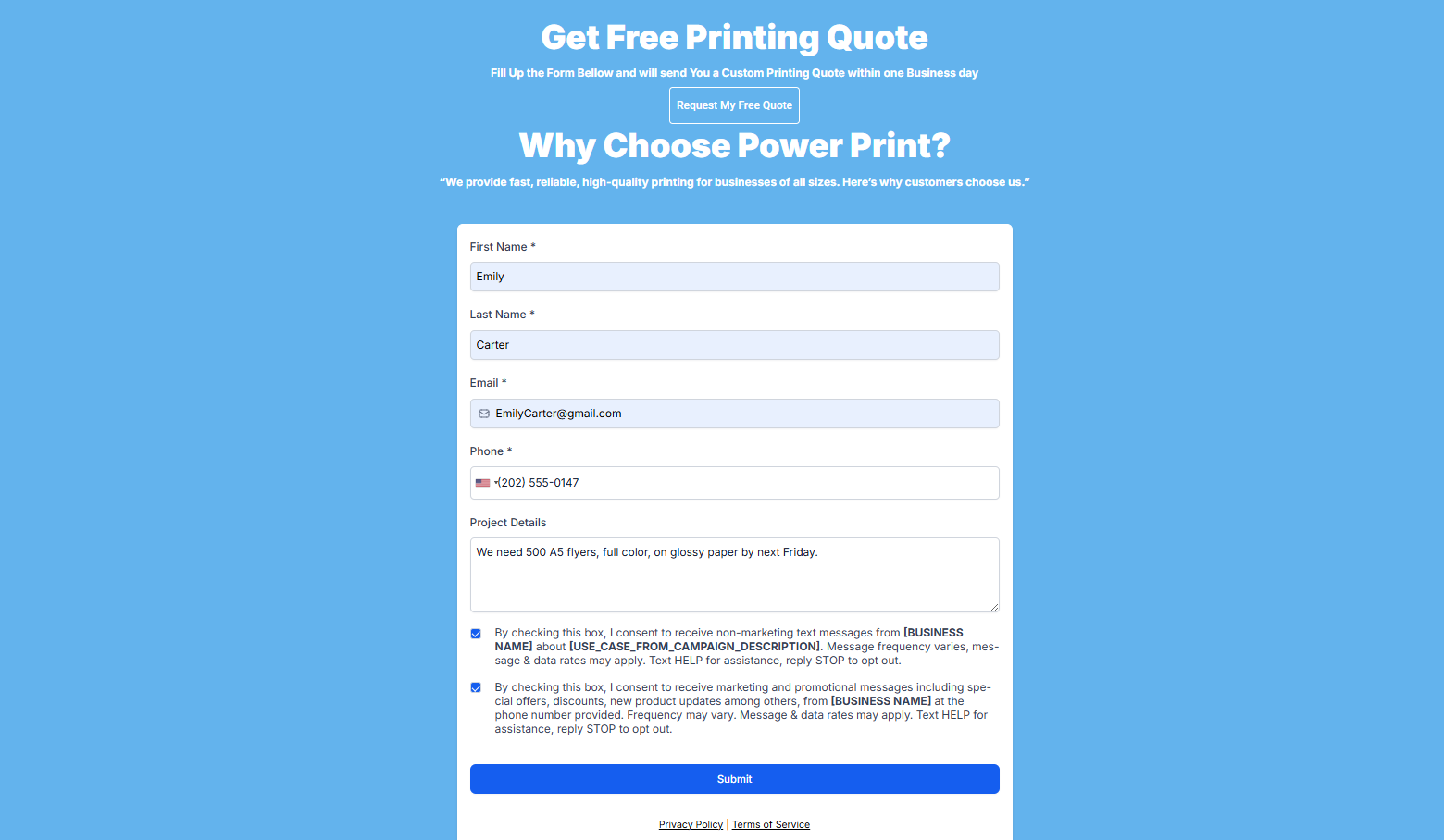
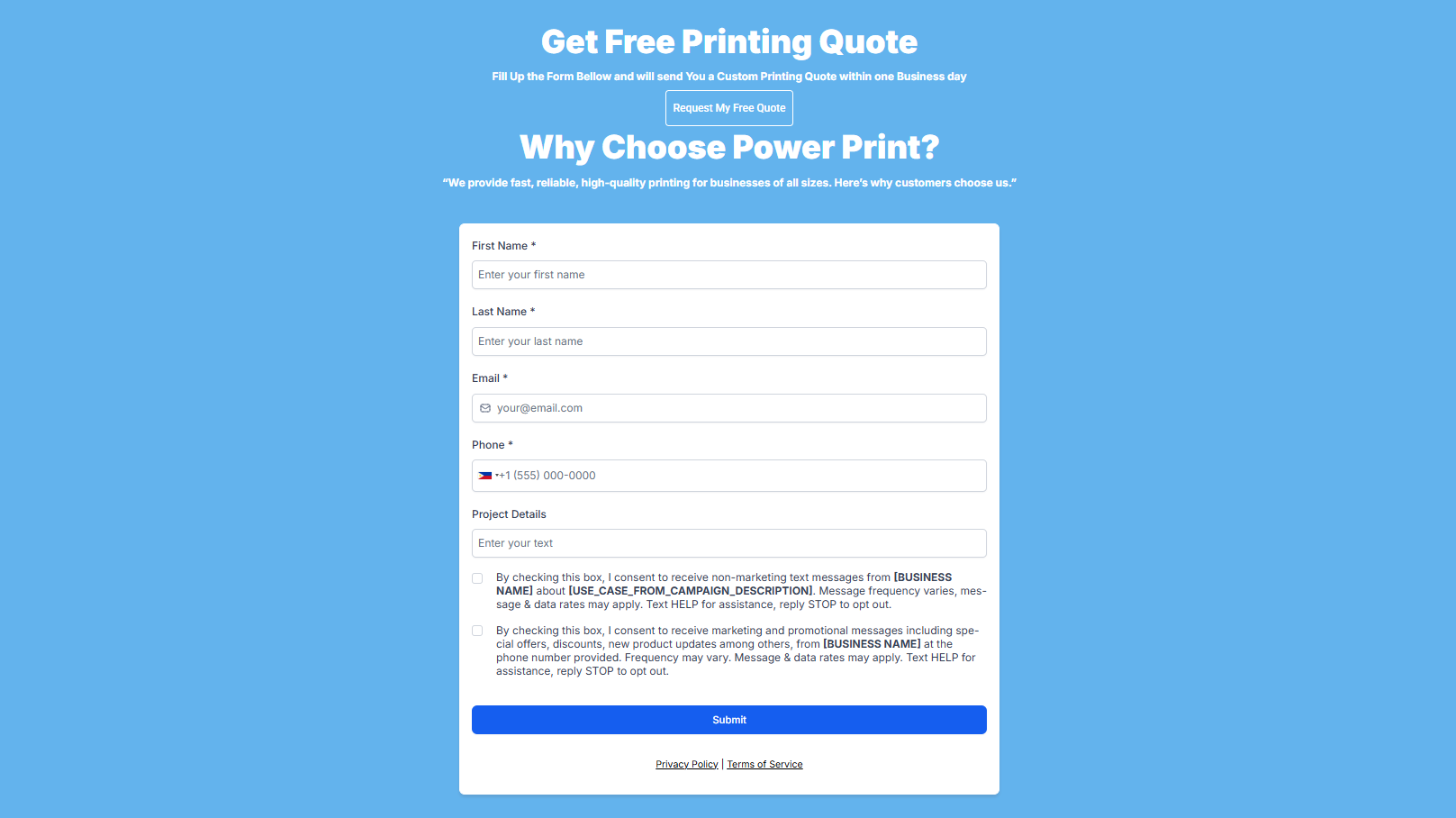
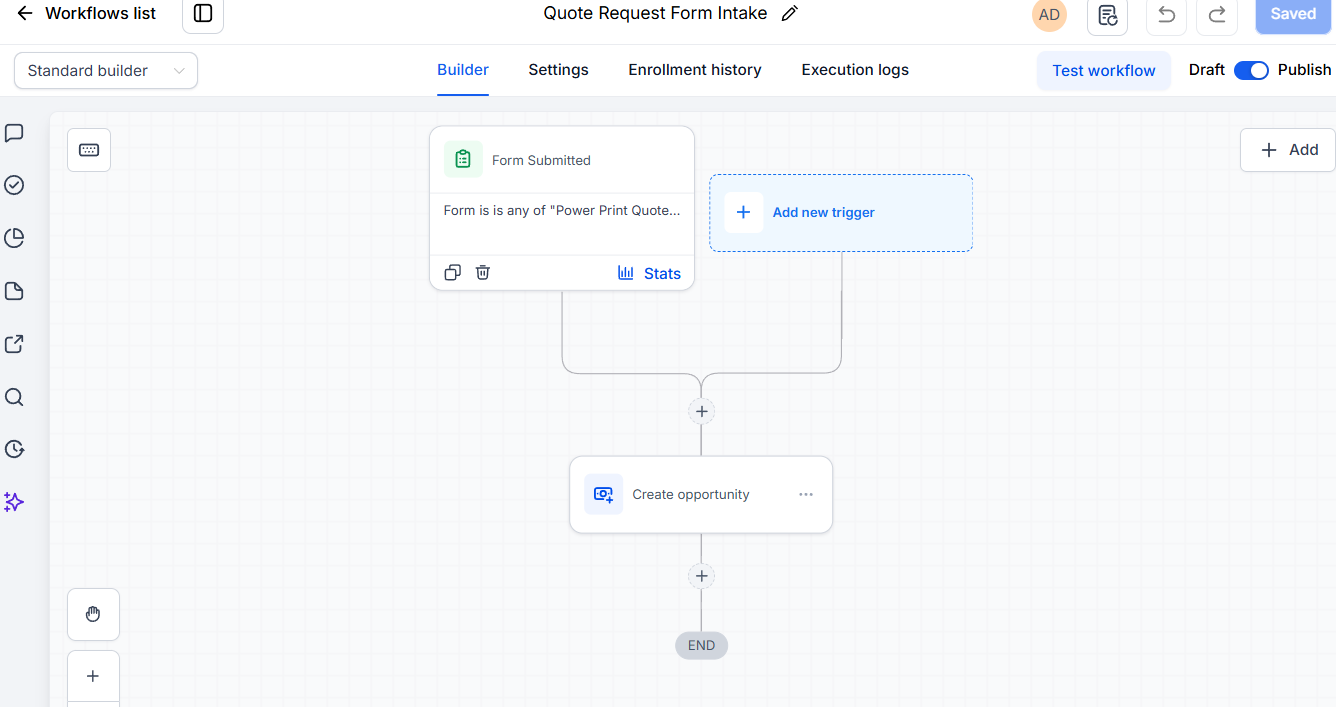
The quote form collects the print requirements in one submission, then acknowledges the request.
Form → requestA customer record brings the submitted details and conversation together for the team.
Request → customer recordPipeline stages show where the job stands. Follow-up workflows prompt the next response.
Record → quote → approvalAn approved quote triggers the production handoff. Later stages send progress and pickup updates.
Approval → workshopThe complete route
The same record moves from first inquiry to final follow-up.
Capture & acknowledge
Review the details
Send & follow up
Trigger the handoff
Update the customer
Send collection details
Thank & request a review
The lost-opportunity workflow closes the record and stops the active follow-up sequence.
Next, inspect the screens behind each step.
03 The proof
These are the 44 screens from the build: intake funnels, CRM records, multi-channel conversations, sales pipeline boards, and workflow execution logs. Open a section or select any image to inspect the full configuration.
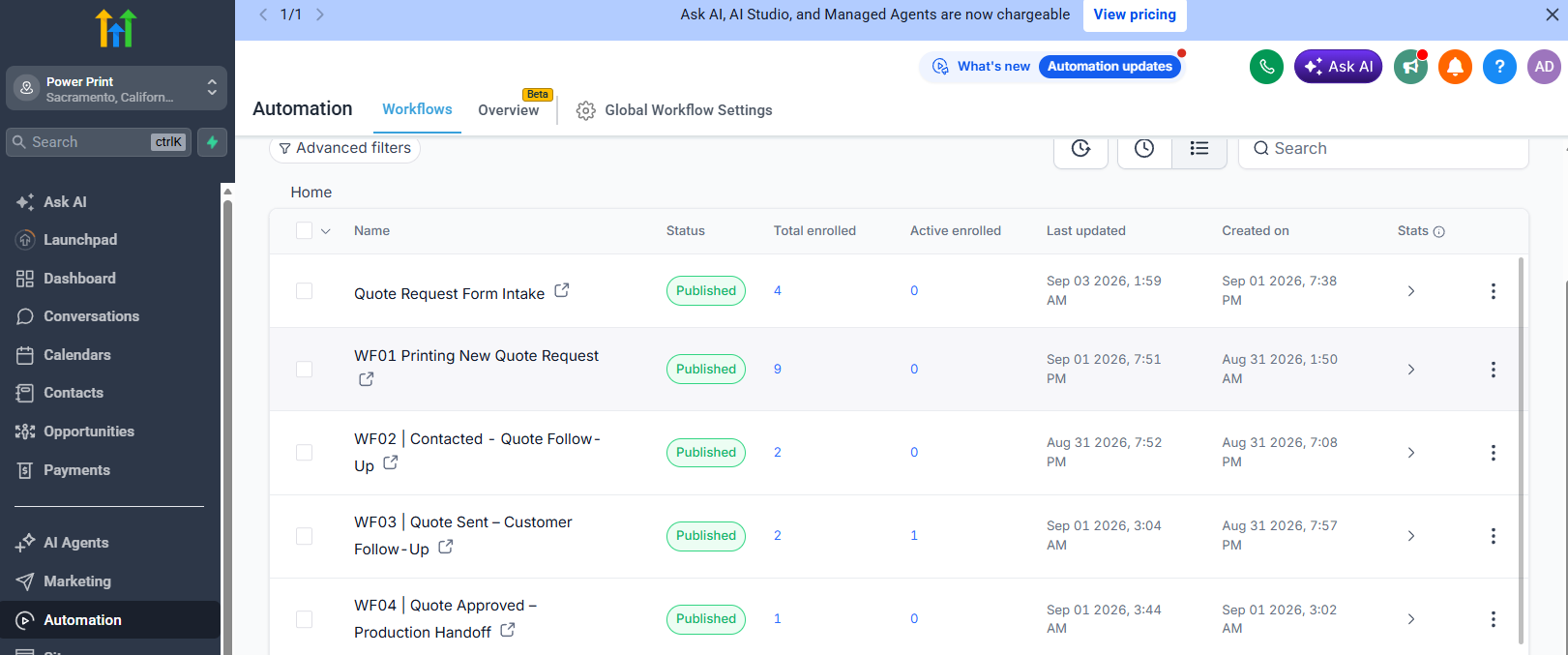
If you don't have time to browse all 44 technical screens below, scroll through these four key configurations that form the core of Power Print's automation engine. Cards stack dynamically as you scroll—click any screen to inspect at full resolution:
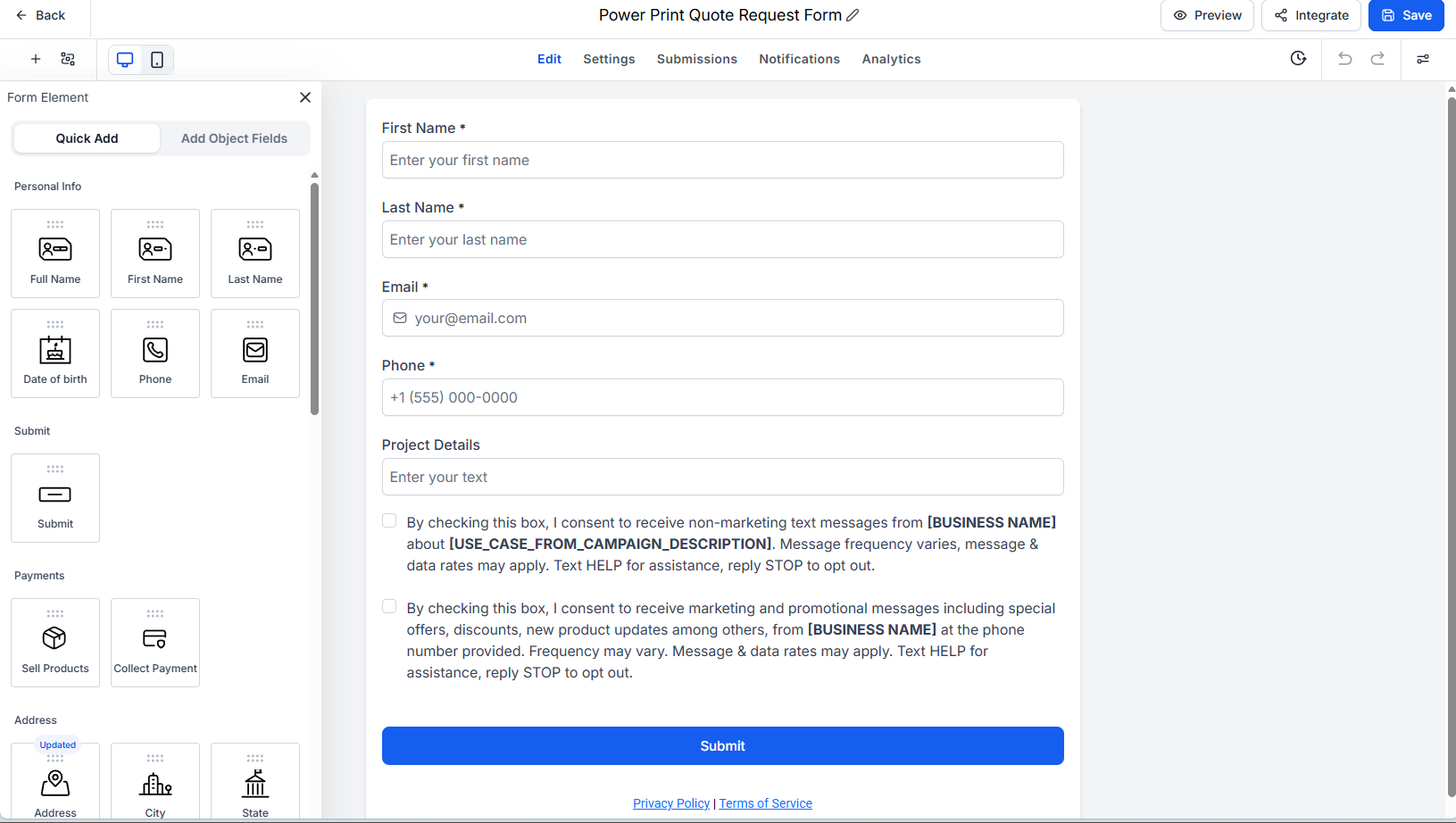
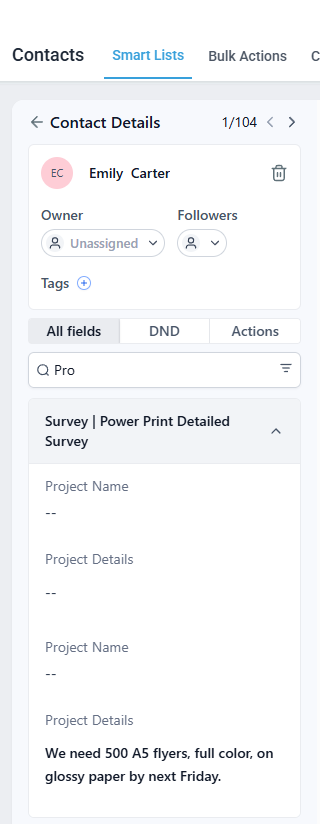
Eliminating clarification emails before estimating begins
I engineered custom field bindings for paper stock (170gsm Gloss), custom trim dimensions, finishing options, rush deadlines, and direct artwork file uploads. Captures 100% of required specifications up front.
 Click to zoom
Engineered custom field bindings for paper stock, dimensions, turnaround speed, and file uploads. Eliminates back-and-forth emails before estimating starts.
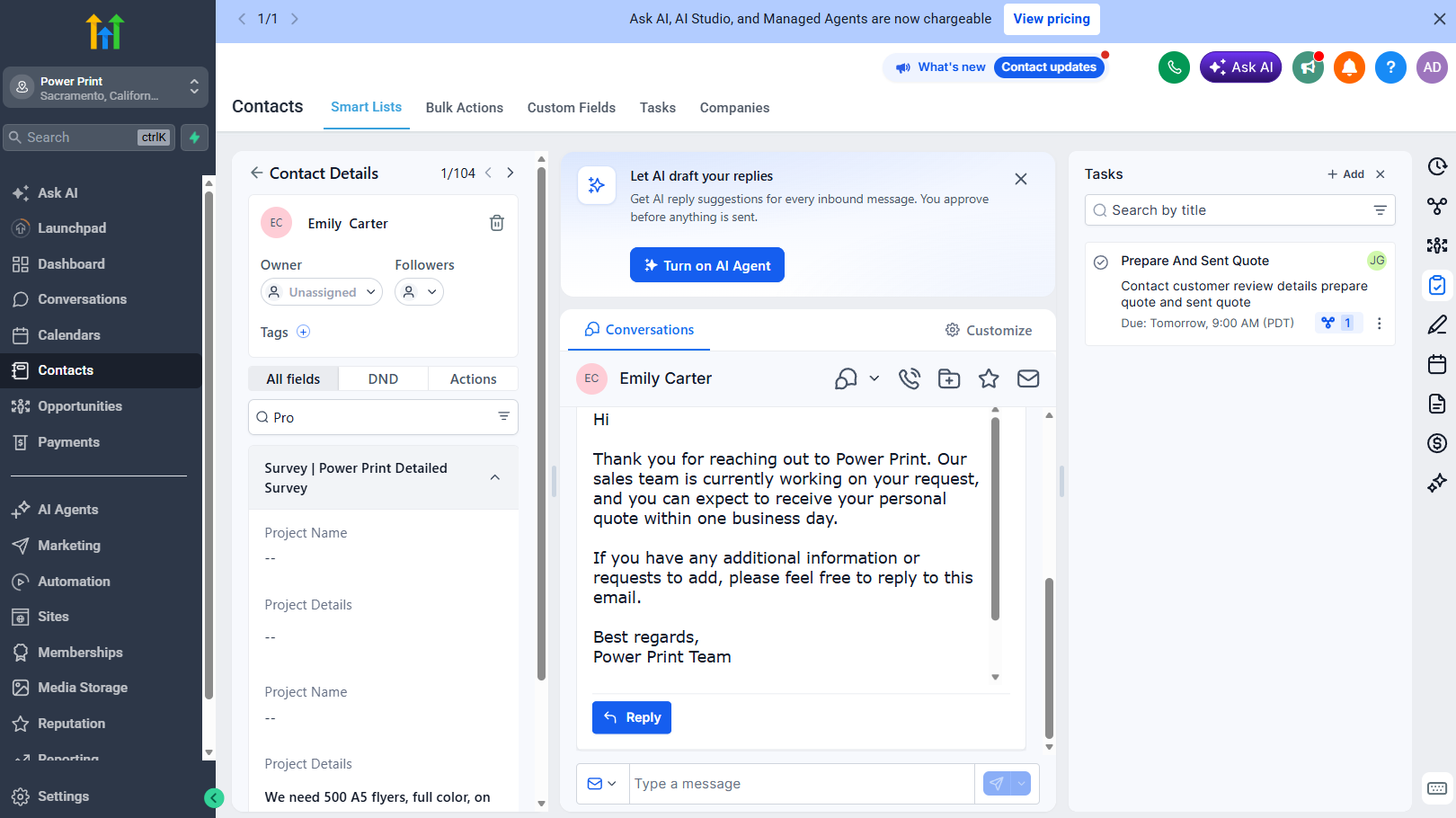
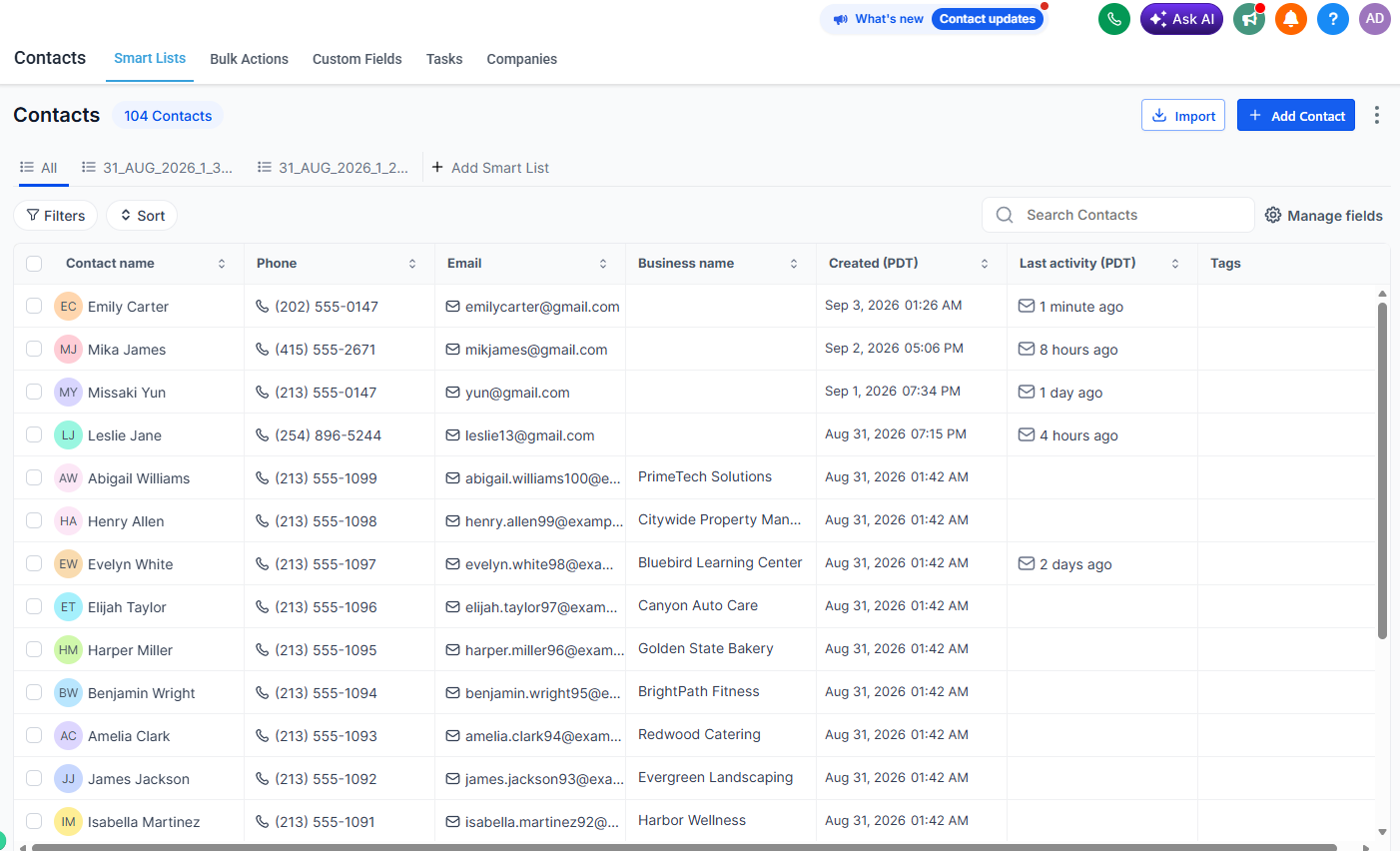
Single customer view with full multi-channel audit trail
Consolidates form submissions, custom order variables, commercial print tags ([Commercial-Print]), and an omnichannel message thread. Demonstrates the sub-60-second automated acknowledgment with quote tracking reference #PP-8492.
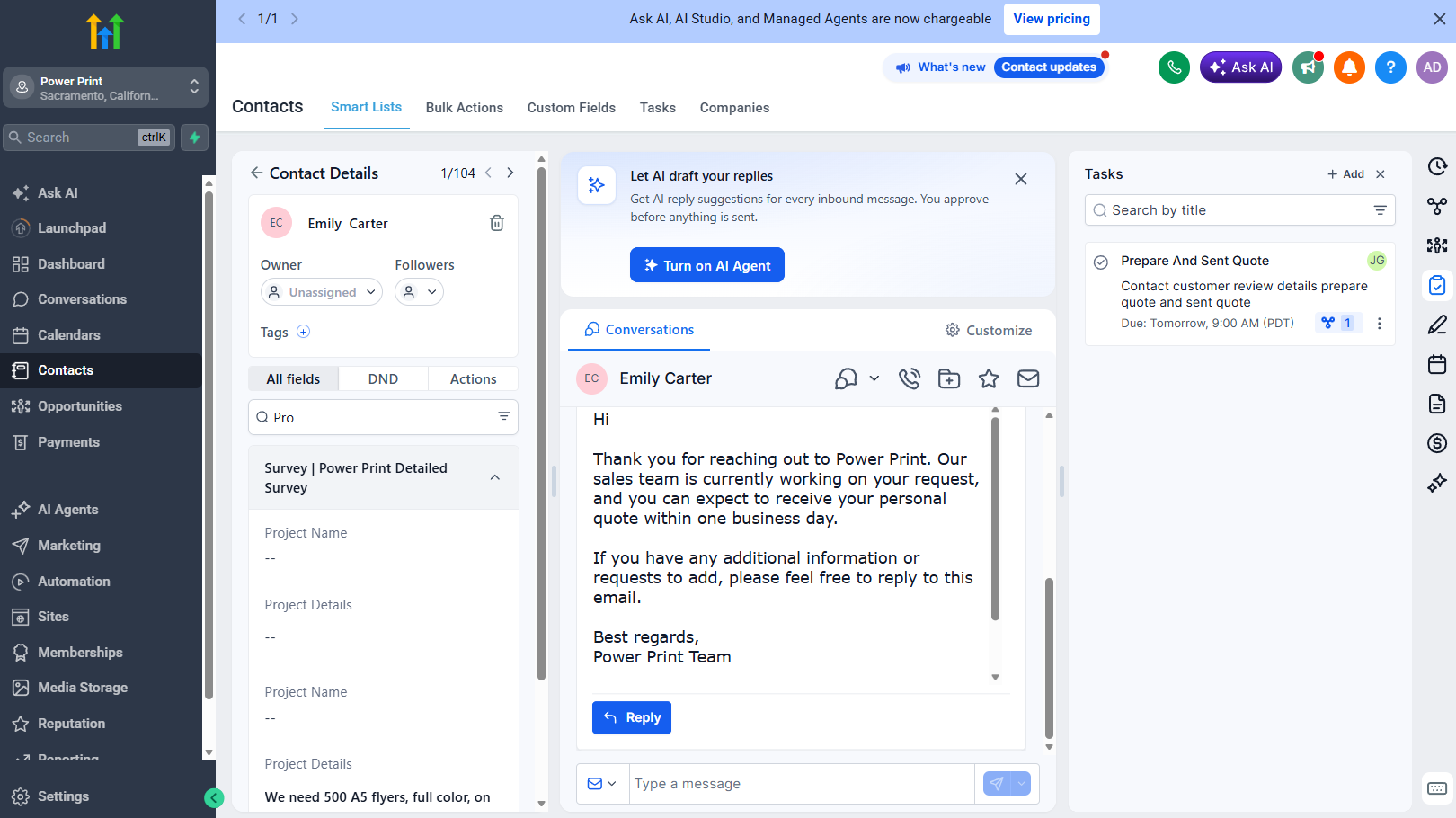 Click to zoom
Single customer record aggregating form specs, SMS threads, and quote status. Demonstrates the sub-60s automated acknowledgment with reference tracking.
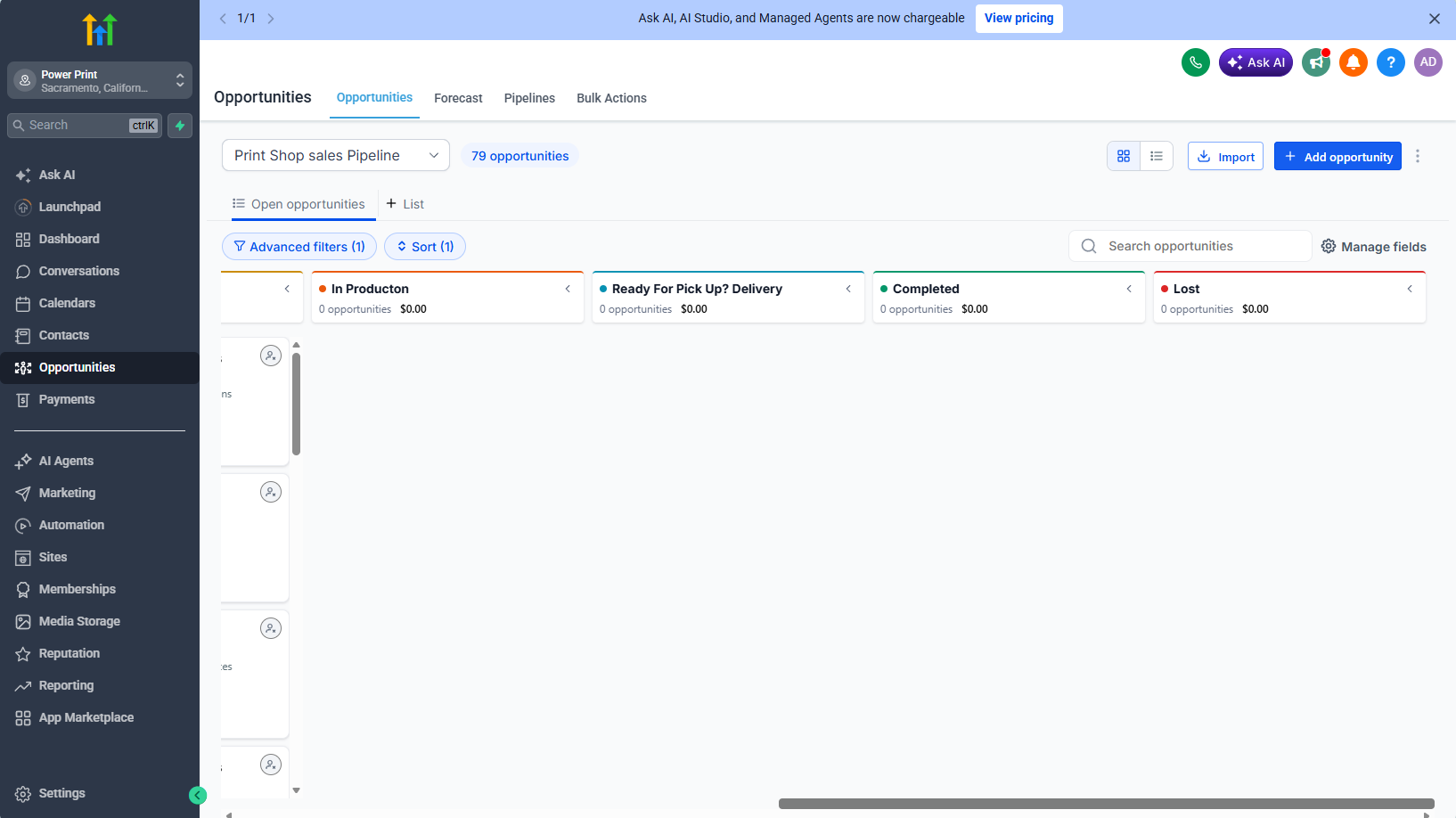
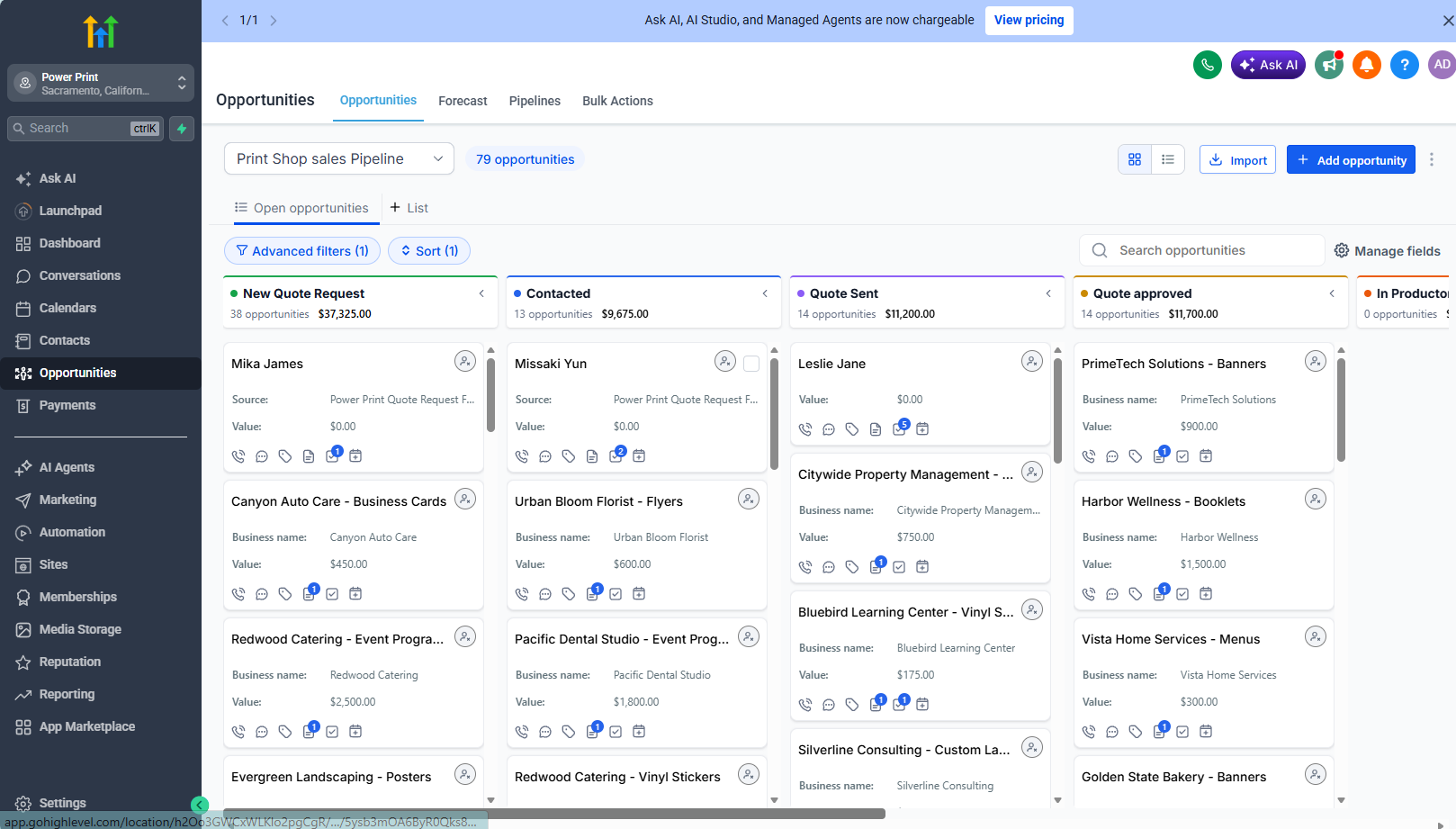
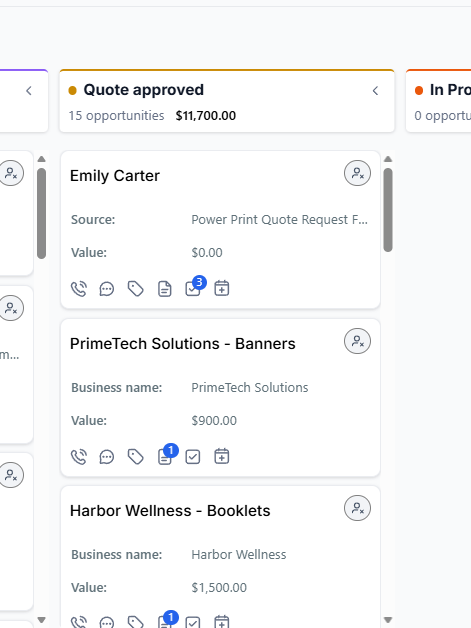
Visual deal tracking with automated reminder triggers
Visual state machine tracking active commercial opportunities with monetary values, stage triggers, and automatic expiration timers. Moving deals between columns enforces exit conditions and keeps estimators on track.
 Click to zoom
Visual state machine tracking active opportunities with monetary values, stage triggers, and automatic expiration timers. Gives estimators a real-time command center.
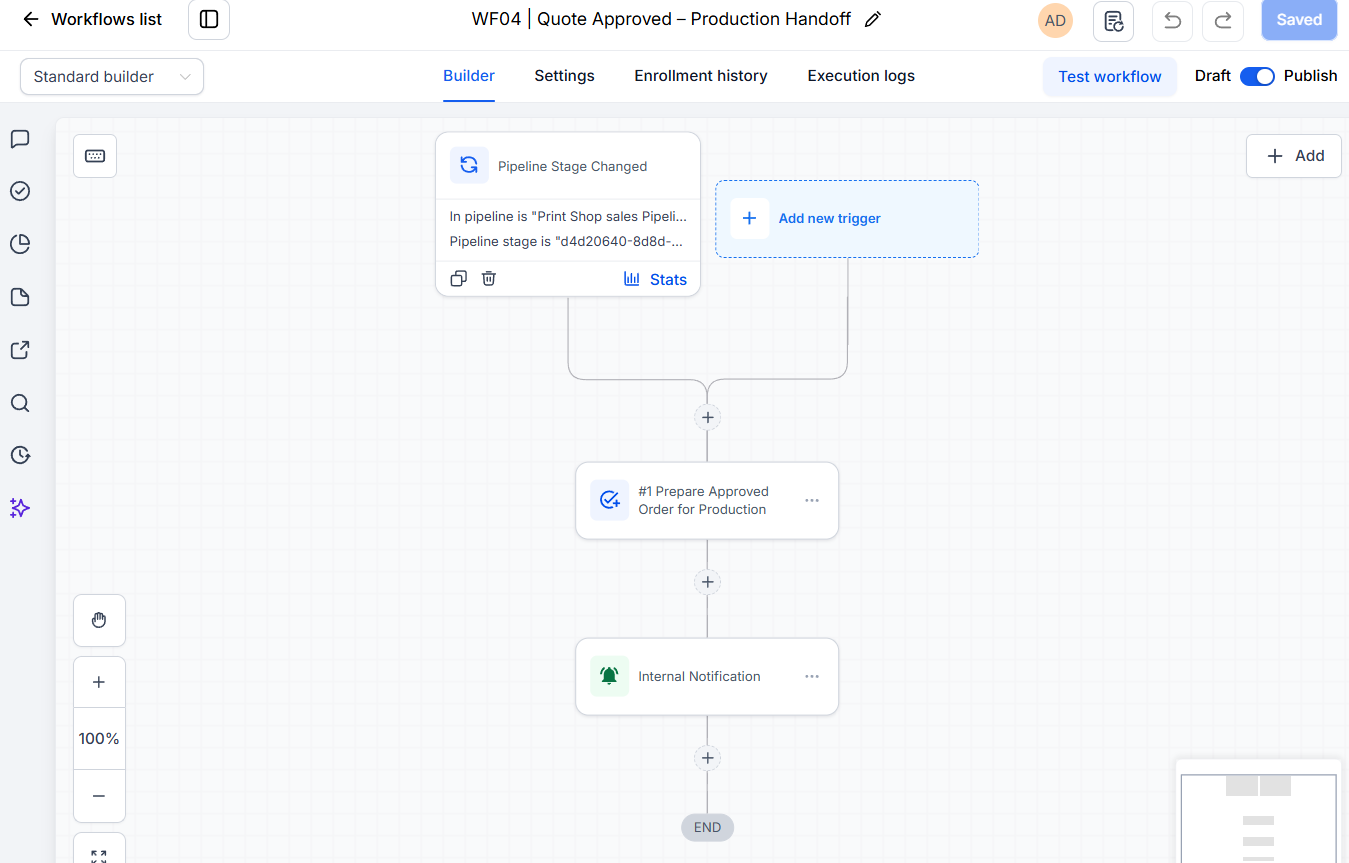
Automated job ticket dispatch upon client quote approval
Event-driven workflow listening for quote approval. When Emily taps “Approve Estimate” on mobile, WF04 automatically creates internal shop press tasks, sets due dates, and alerts prepress technicians with zero manual delay.
 Click to zoom
Event-driven workflow triggering when a quote is approved. Automatically assigns shop press tasks, sets due dates, and alerts prepress staff with zero manual handoff.
Field validation, quote forms, and landing pages.
Consolidated profiles, thread logs, and client data.
Kanban stages, opportunity cards, and approvals.
Triggers, shop alerts, execution logs, and routing.
Behind the handoff
My scope covered the quote form, CRM setup, pipeline, and automation workflows.
Implementation details
Print terms and messaging opt-in text belong with the request form.
Routing rules direct quote notifications to the estimating team.
Order-specific fields keep repeat requests separate from the customer’s contact details.
Follow-up and closeout workflows give unanswered quotes a defined next step.
04 The result
The build connects the customer, the estimator, and the workshop around one visible process.
Acknowledgements, follow-ups, and pickup updates keep the conversation moving.
The job details travel with the approval into the production process.
A shared pipeline shows what’s waiting, what’s moving, and what’s complete.
This case study shows the configuration and sample test runs, rather than measured live production outcomes.
Your next chapter
Let’s connect the steps that slow your team down.